Day 1: Introduction to R Statistical Analysis Software

Summer - 2024, University of Minnesota

Shunkei Kakimoto

Outline

  • Introduction
  • Motivation
    • What you can do with R?
    • How do we use R in course in APEC?
    • Basic knowledge about R and Rstudio (R 101)
  • Plan for this course

About myself

  • Shunkei Kakimoto
    • from Japan
    • 3rd year Ph.D. in Applied Economics (from this fall)
    • Area of interests: Environmental and Resource Economics, Water Economics, Groundwater Management, and Empirical analysis of climate change impact on agricultural production.
    • I was TA in Econometrics I and II (APEC 8211-12) and Micro Economics III and IV (APEC 8003-04)

Motivation to learn R

What is R?

It’s a programming language that can be used for a wide range of tasks.

  • Data Manipulation: Cleaning, reshaping, merging datasets, etc.
  • Various Analysis: Descriptive analysis, regression analysis, GIS, spatial analysis, machine learning, etc.
  • Data visualization
  • Great tool to communicate your results with others.
    • You can write a research paper, presentation slides, and even a book with R.


Note

  • R is said to be slower programming language, but I don’t think that’s a general case. Some R packages (e.g., data.table for data wrangling, sf and terra for handling spatial data, etc.) are primarily written in other language such as C/C++ language, which makes their computation faster.

So, How R is used in the course of APEC?

  • We use R in a series of Econometric courses (APEC 8211-8214)

Specifically,

  • To conduct regression analysis (e.g., OLS, IV, FE, etc.)
  • To conduct Monte Carlo simulation.
    • e.g., understand the difference in variance inference techniques.

Don’t worry!

  • Even if you are not familiar or not confident in R, that’s okay! Basic knowledge of R is enough to conduct the tasks in the course.

Objective of this course

The primary goals of this course is to provide you with the basic knowledge of R to conduct the following tasks:

Primary Goals

  1. to create and manipulate the base-R object data
  2. to do data manipulation with data.table package
  3. to do data visualization with ggplot2 package
  4. to conduct regression analysis with lm() and make a publish-ready regression table with modelsummary() package
  5. to write Monte code for Carlo simulations using for loop function.
  • I will also provide introduction to Rmarkdown and Quarto documents, to create a report with R codes and outputs.

Rstudio

  • You can use app to write and run R codes, but it has a terrible graphic user interface.

  • Rstudio is an another app build on top of R. It makes it much easier to edit R codes, see the results and organize the files.

  • But still, you need R to run Rstudio! R is the engine of Rstudio.

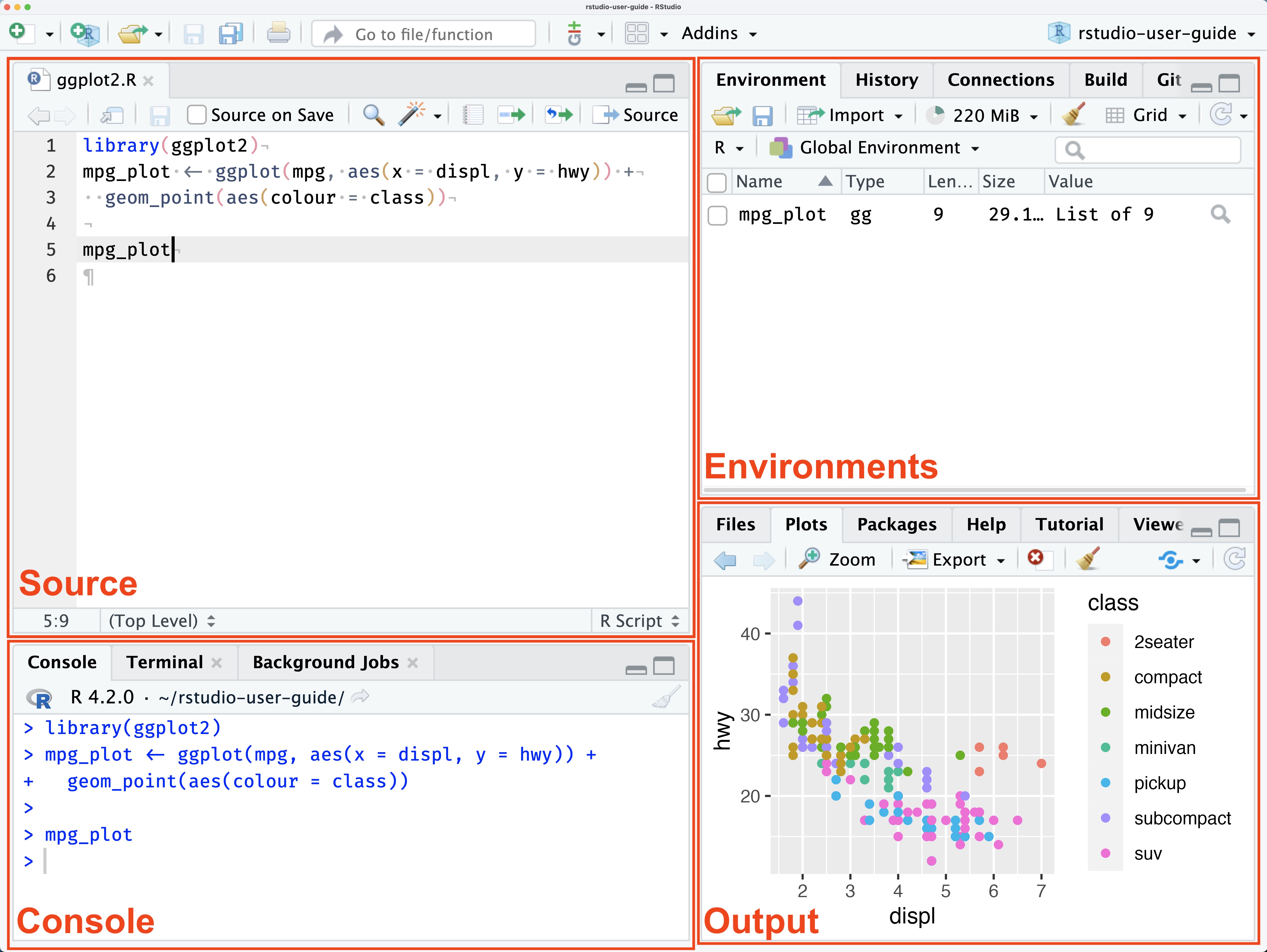
  • R studio looks like this:

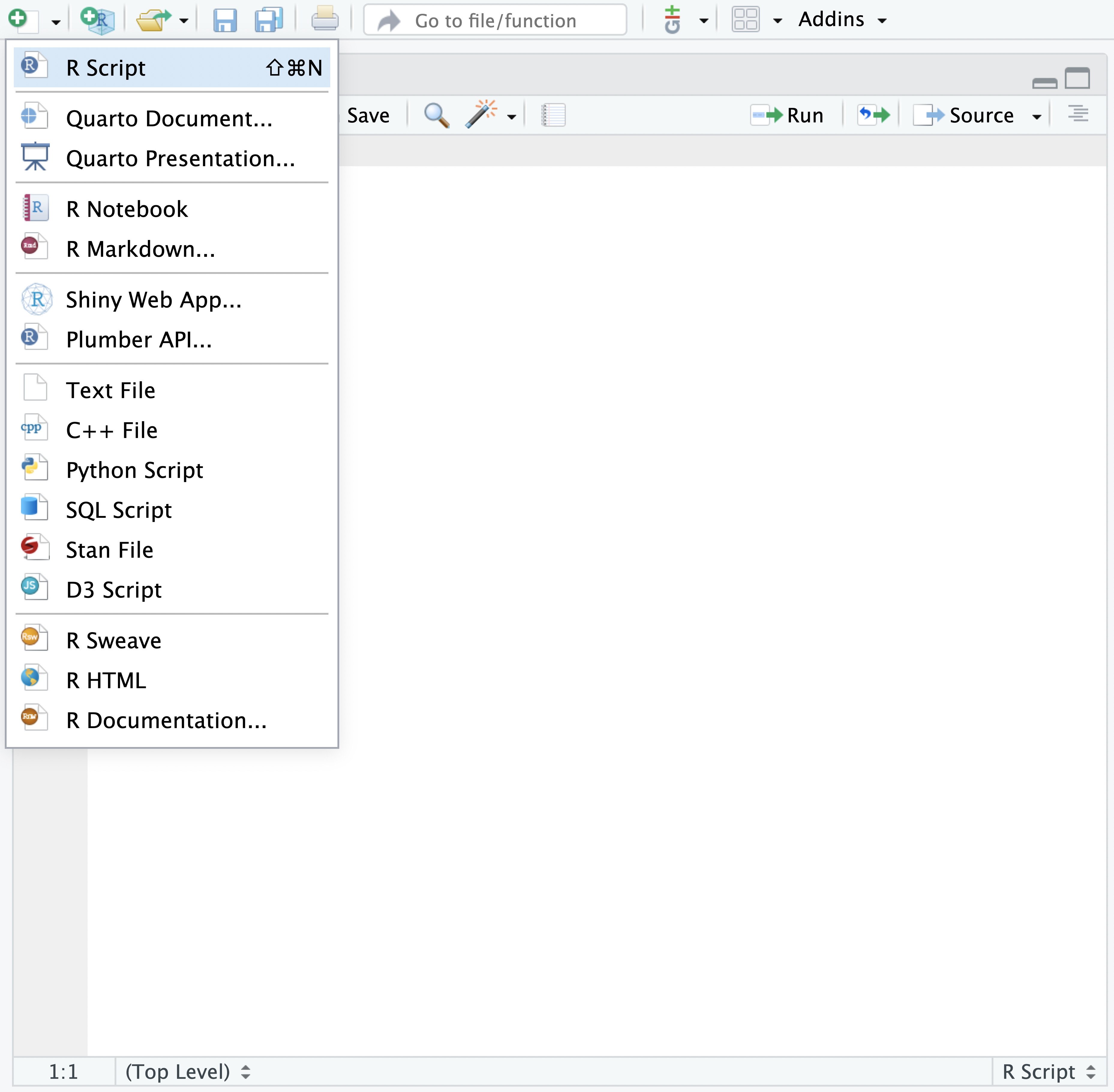
To create new R script file, click the + button on the top-left corner of the Rstudio, or hit Ctrl + Shift + N (Cmd + Shift + N on mac).

To save the file, click the floppy disk icon , or Ctrl + S (Cmd + S on macOS).
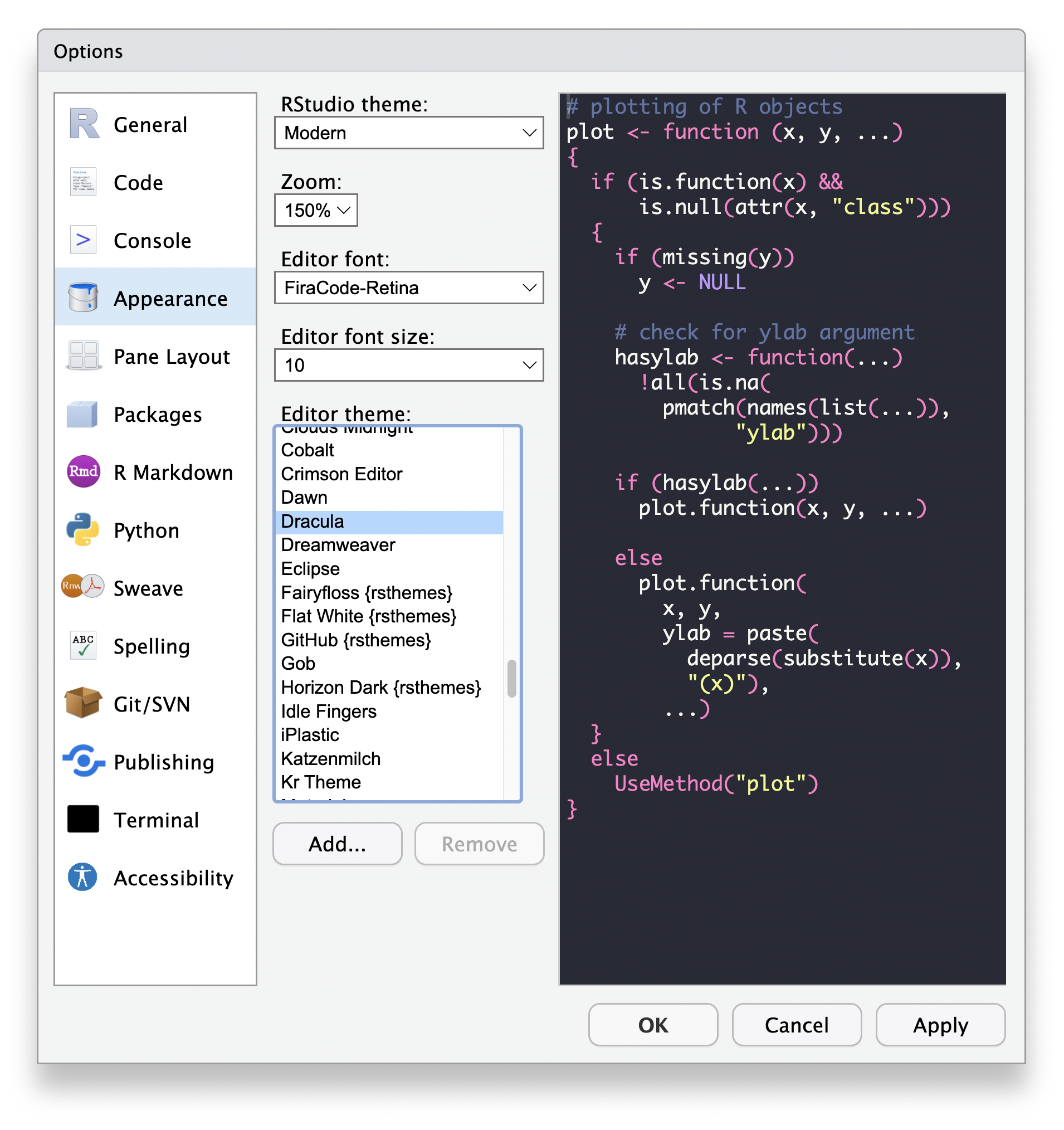
You can change the appearance of Rstudio by going to Tools -> Global Options -> Appearance -> Editor theme and select your favorite theme.
You can have multiple code panes in Rstudio. To create a new pane, go to Tools -> Global Options -> Pane Layout -> Add Column. In the same window, you can also change the layout of the panes.

In the following image, I have two source panes. Also, I changed the layout of the panes.
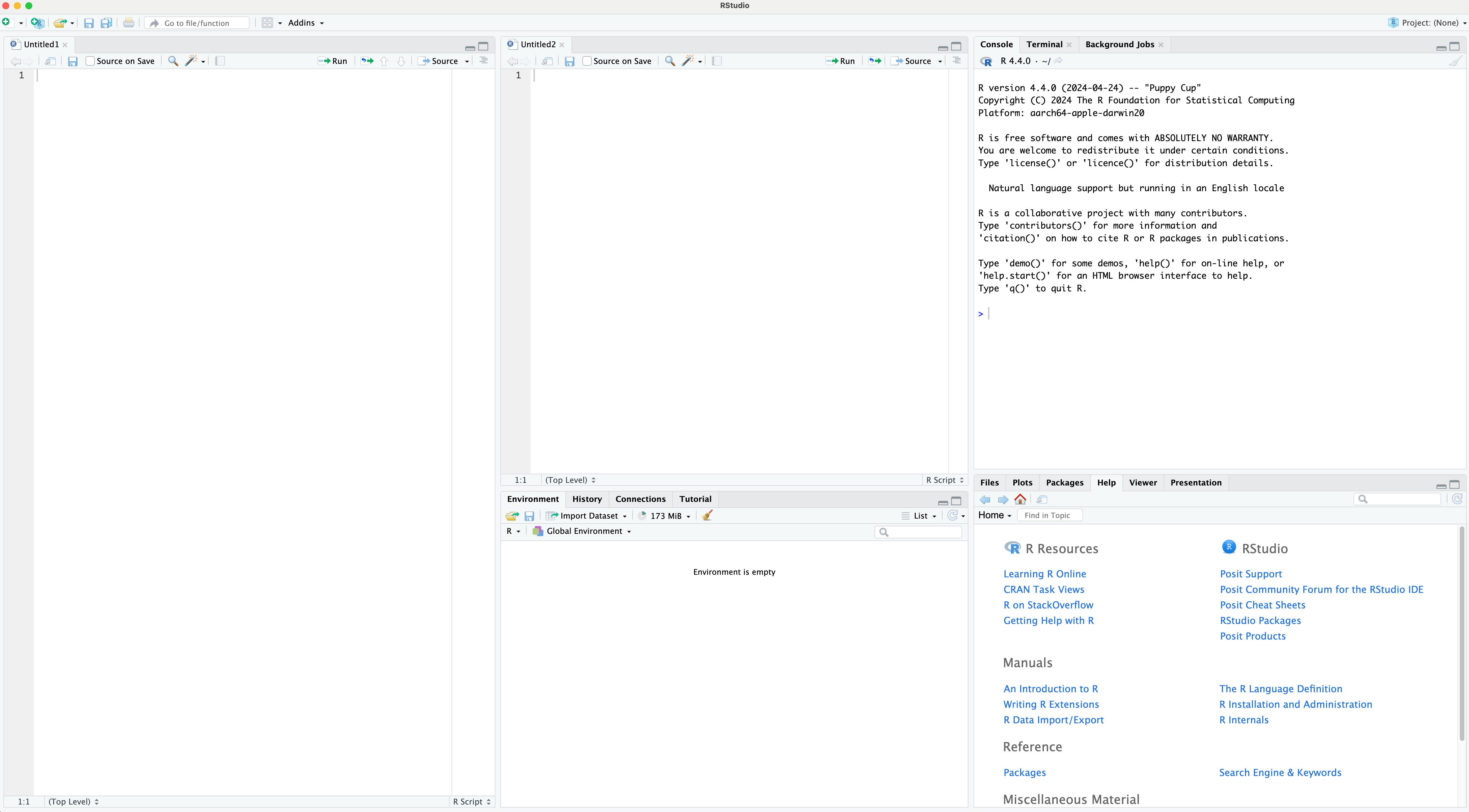
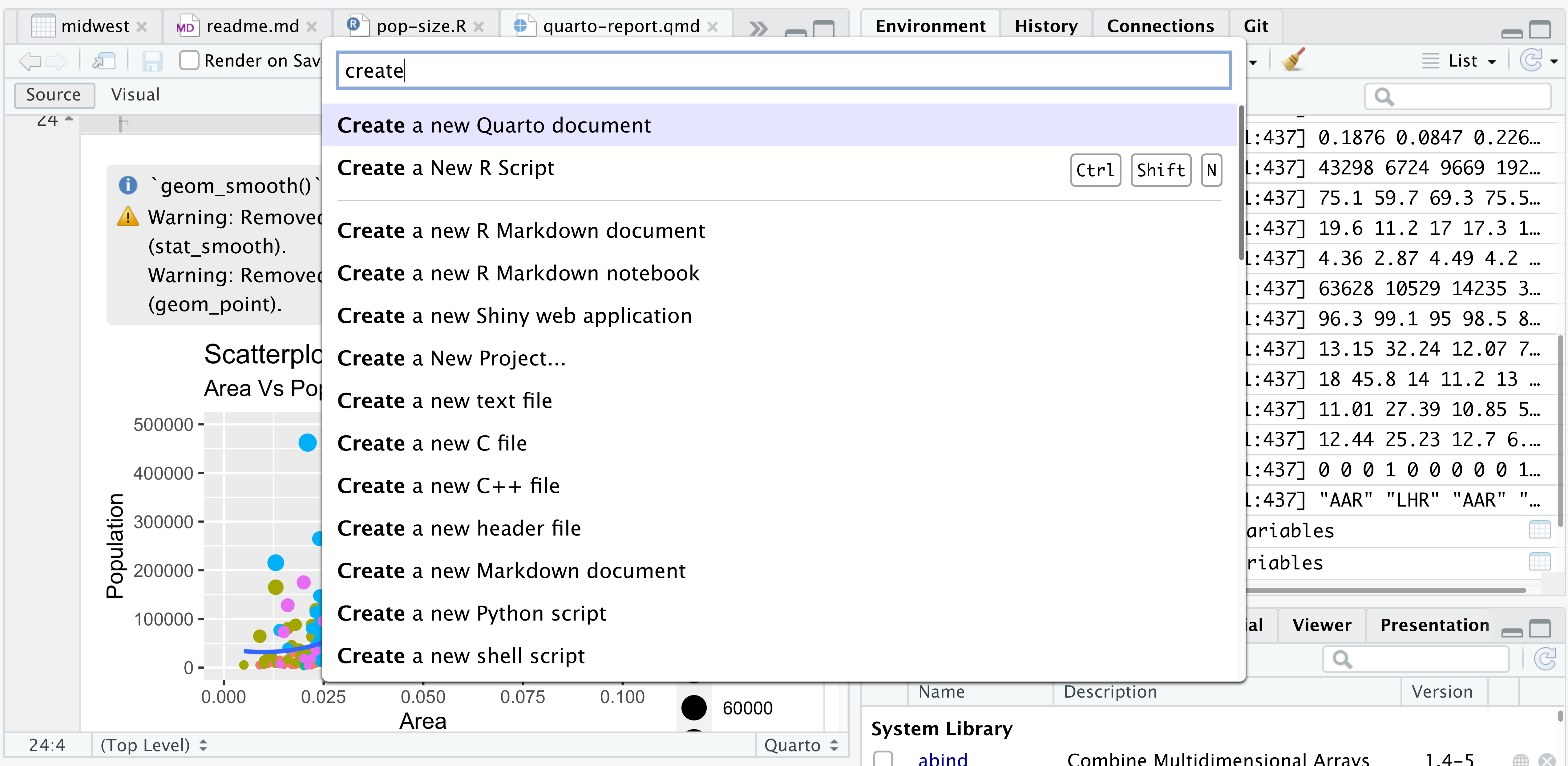
Recent R-studio has a new feature called “Command Palette.”. Hit Ctrl + Shift + P (Cmd + Shift + P on macOS) on your keyboard. (or go to Tools -> Show Command Palette).

From the command palette, you can do anything!

  • create a new script file (R, Rmarkdown, Quarto etc.)
  • open an R script file from your folder.
  • open R project.
  • open new session …. etc.

Rstudio: Running Code

Let’s write some codes.

print("Hello, World!")

# This is a comment block.


R code

  • Any thing you write in the source (or console) pane is regarded as R code.
  • Mainly you use source pane to write the code.
  • To run (execute) the code, select the code line, and click the “Run” bottom, or use the shortcut key: Ctrl + Enter (Cmd + Enter on macOS).

Comment block

R will not run the code line starting with #. It’s called comment block. You can use it to write a note for yourself or others.

Summary:

  • Now you are familiar with Rstudio. As long as you know how to create and save R script, you are ready to go for the next lecture.


Note

  • See this link. for more information about Rstudio.

  • You don’t necessarily need to use R studio to use R (for example, you can use Visual Studio Code to run R), but, Rstudio is a great starting point to get familiar with R.