Introduction to Quarto (Under Construction)
Quarto is like an upgraded version of R Markdown. It’s a tool that lets you combine text, code, and data analysis all in one document. Quarto does the same thing but with more features and flexibility. Quarto works with R and other languages like Python, Julia, and more. It’s more versatile, allowing you to create documents and reports, websites, blogs, books, and even interactive apps. This website and all my slides for this courses were also created with Quarto! (Similarly, you can use R Markdown to create websites and slides, but Quarto has more features and flexibility.)
Do I need to install Quarto CLI (Command Line Interface) to use Quarto in Rstudio?
No, you don’t need to. Recent versions of RStudio come with Quarto already bundled, so you don’t need to install the Quarto CLI separately.
Reference: “Is it necessary to install Quarto separately from Rstudio?”
Getting Started
How to use Quarto in Rstudio?
If you are new to Quarto, I strongly recommend to read this official document to get started.
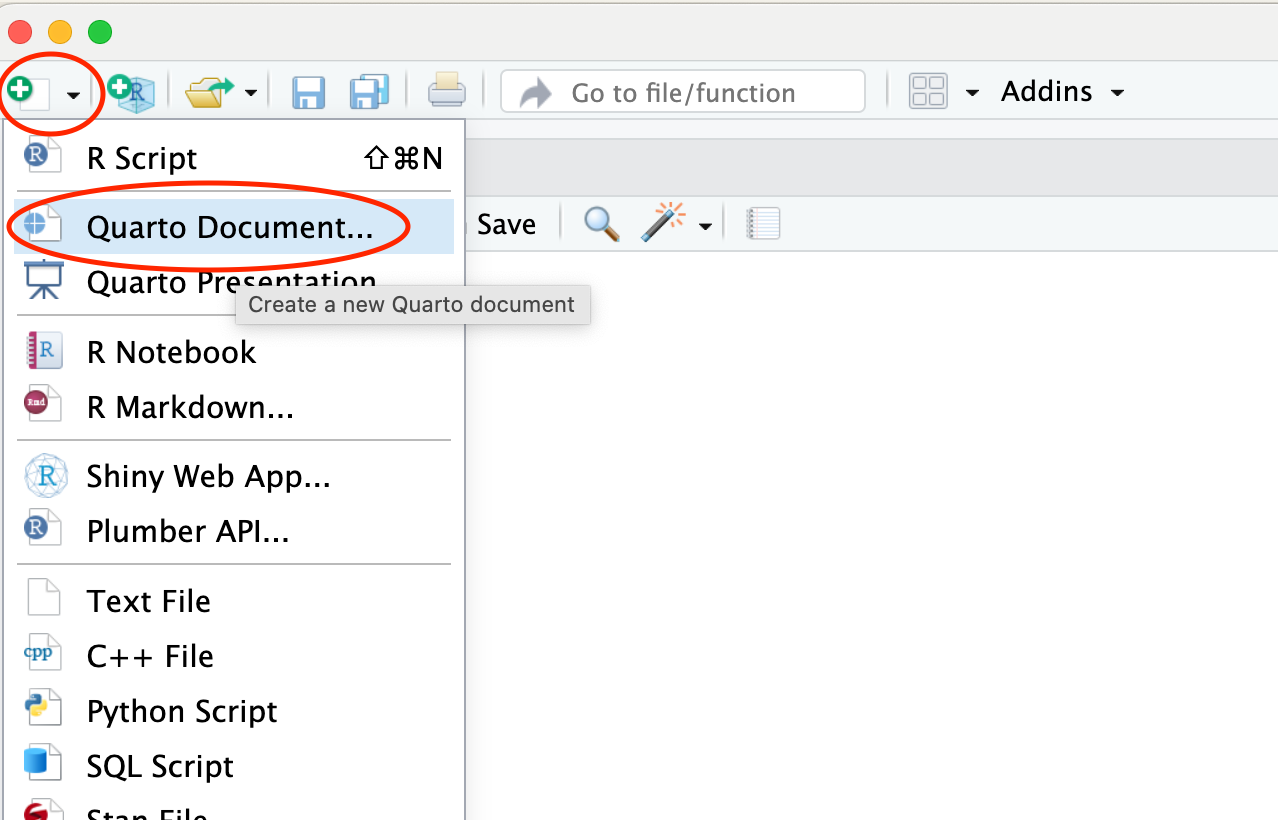
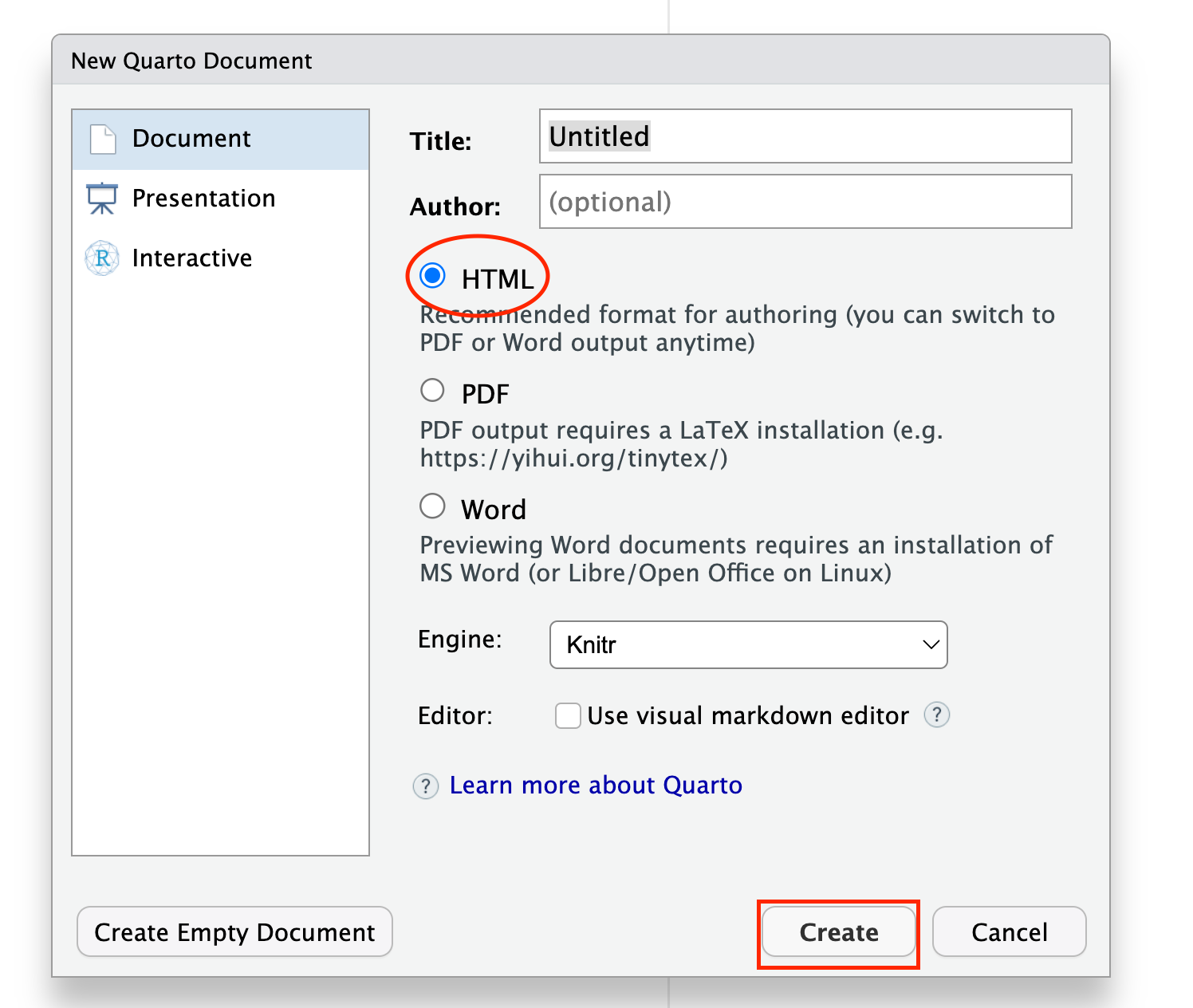
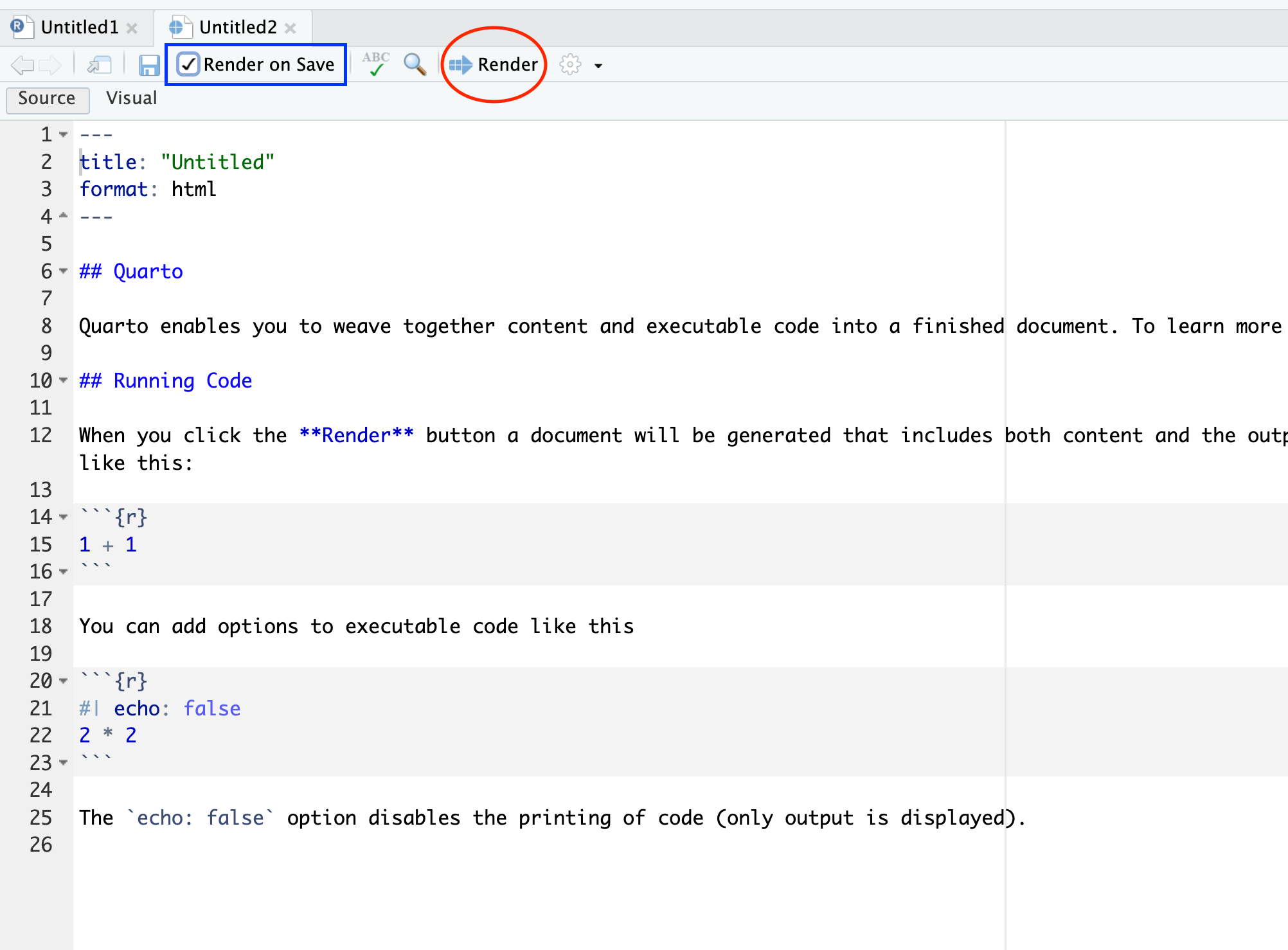
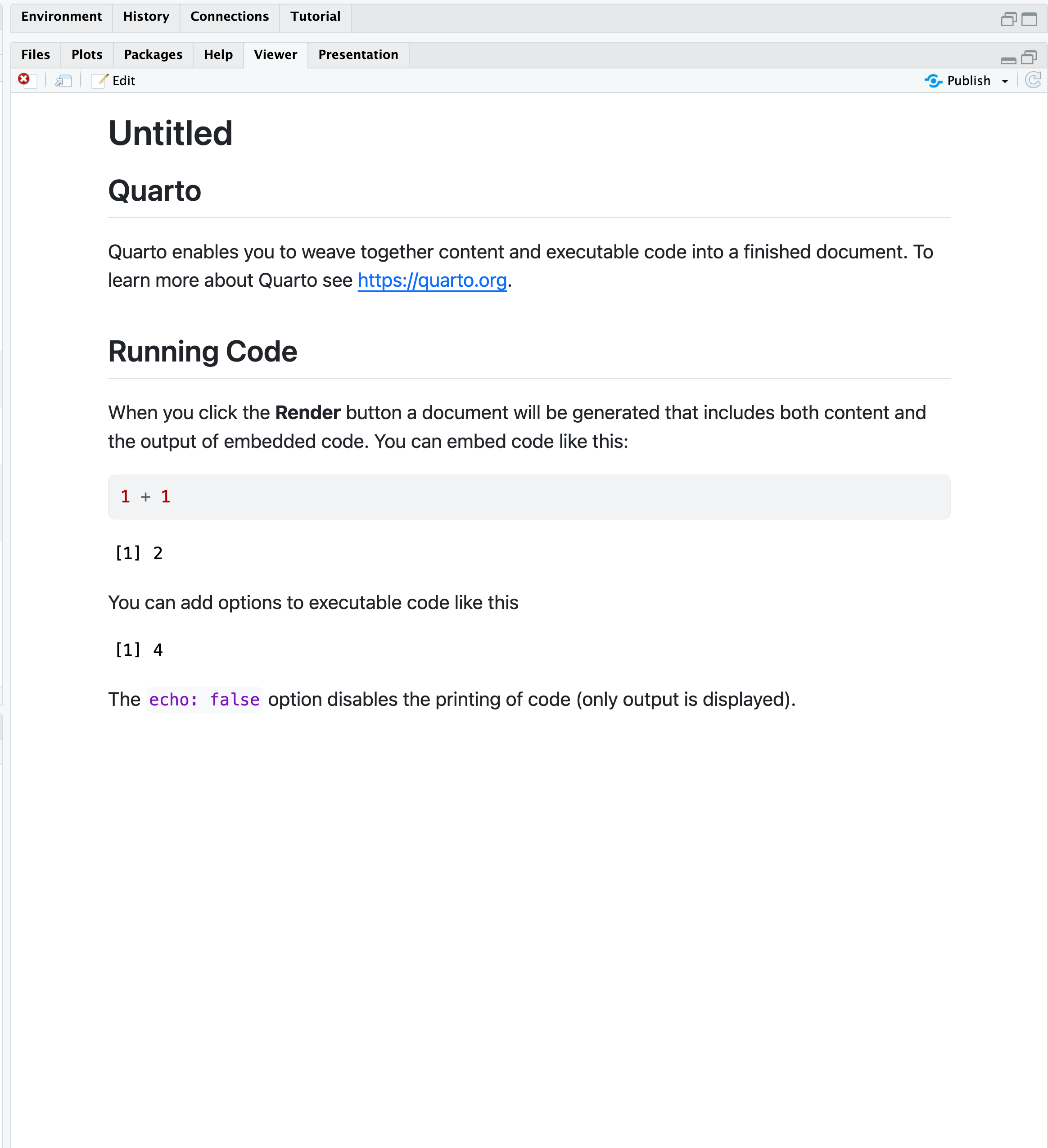
From top-down of New file icon, crick “Quarto Document…” -> Select “HTML” (or “PDF”) format -> A new Quarto (.qmd) file pops up -> Crick “Render” bottom to run the qmd file. The output document will be shown in the Viewer pane.
If “Render on Save” bottom is checked, the document will be rendered automatically when you save the file. This is particularly useful when you want to see real-time updates of your document without manually clicking the “Render” button each time you make a change.
Quarto Yaml Header
The basic usage of Quarto is the same as R Markdown.